免費、開源
由現有 Repo 變成完整互動畫布
輕巧嘅產品工作空間:睇住 coding agent 起出嚟嘅 App,操作真實畫面,指住要改嘅地方,再由原始碼繼續 build。
永久免費 · MIT 授權 · 沿用你嘅 Agent
Claude Code
Codex
免費、開源
為 build → 檢視 → 修改而設
- 一次看清已實作的完整頁面、具名狀態及相連流程。
- 只維護一份 UI。Coding agent 負責 fixtures、adapter 及 coverage checks。
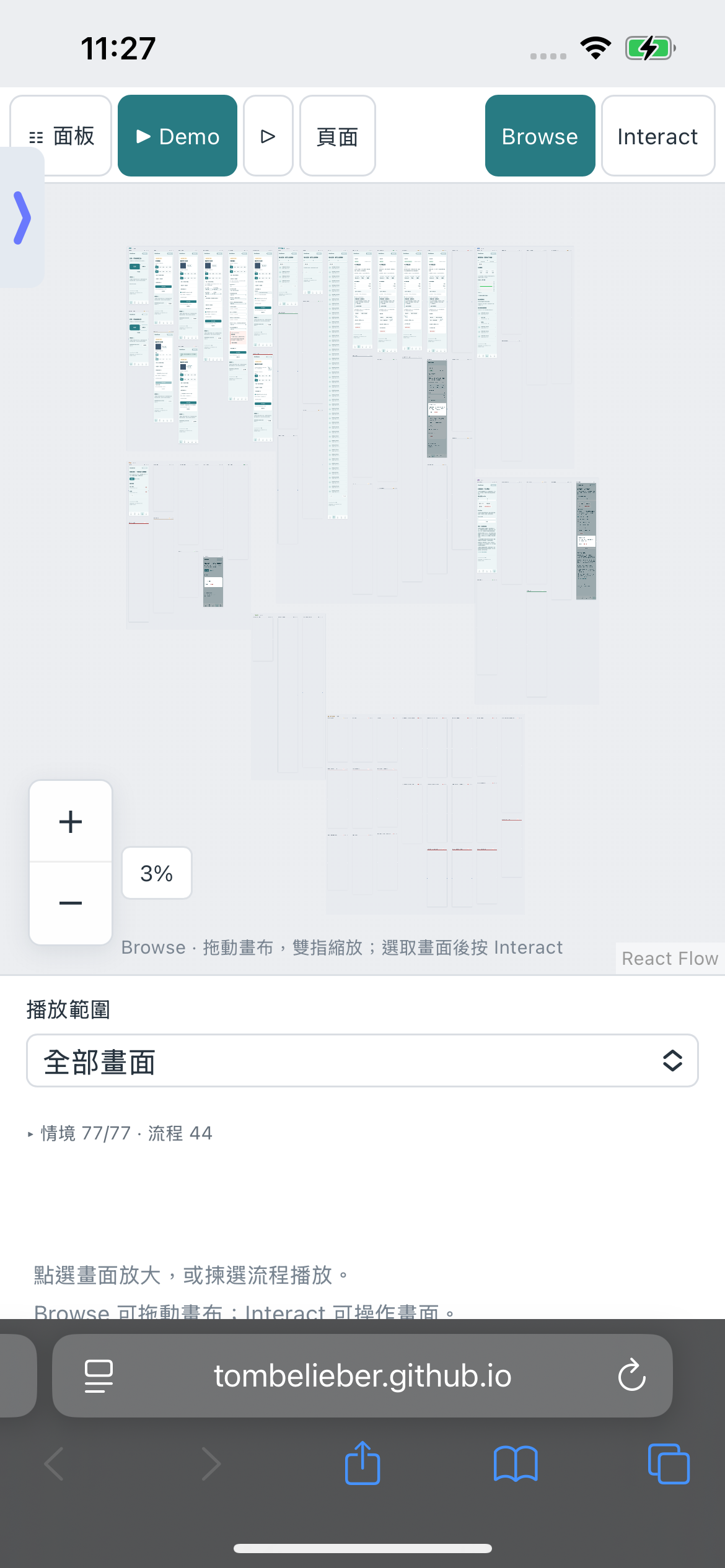
- 公開虛構資料 Demo 有 77 個狀態及 44 條流程,毋須登入或 API key。
由現有 Repo 變成完整互動畫布
交給能讀寫 Repo 及執行指令的 coding agent。不需要事先準備 Storybook 或手寫畫面清單;只安裝套件並不會自動填滿畫布。
貼給你的 Coding Agent
Read https://github.com/tombelieber/app-canvas/blob/v0.16.0/AGENT_GUIDE.md and add a completely populated Agent Canvas to this repository. Discover all screens, components, variants, states and navigation from the whole application source. Use original UI code. Create the missing synthetic fixtures and render harnesses. Reconcile an independent source inventory with rendered cases and source-linked runtime checks. Add checked happy, failure and recovery journeys. Group by actual page and feature, connect checked flows, deduplicate repeated captures and resume checkpoints. Run --ui-complete against the original source root; keep the stricter --complete source audit separate and unchanged. Continue until the full landscape is populated and verified; report genuine blockers as incomplete. Keep production sessions, credentials and real user data out of previews.安裝共用工具
使用 Node.js 22+,沿用專案的 package manager 與 lockfile。安裝固定版本的 GitHub release,再安裝瀏覽器。npm 12 若阻擋此直接 Git dependency,才加 --allow-git=root;毋須更改全域設定。
npm install --save-dev github:tombelieber/app-canvas#v0.16.0
npx agent-canvas browsers
先盤點,再選 Case
對整個原有 App repository 執行 plan。檢視所有檔案及 UI anchors,追查影響 UI 的依賴,並核對實際導航。獨立列齊畫面及狀態,不能由 catalog 倒推範圍;未解決 UI 必須保留。
npx agent-canvas plan --source-root . --out ui-review/ui-inventory.json
npx agent-canvas status --inventory ui-review/ui-inventory.json
用 Fixtures 渲染原有 UI
Agent 建立 ui-review/canvas.config.mjs、catalog、虛構 fixtures、preview entry 及可檢查 journeys。Web adapter 匯入原有頁面、providers 與樣式;fixtures 只替代資料和依賴,不能重寫 UI。拒絕未知網絡請求。
ui-review/
  canvas.config.mjs
  catalog.json
  frame.jsx
  fixtures.js
  README.md
.artifacts/app-canvas/inventory.json
// package.json → scripts "ui:review": "agent-canvas --config ui-review/canvas.config.mjs"驗證狀態與互動
涵蓋已實作的一般、空白、載入、錯誤、拒絕存取、對話框及復原狀態。每個 case 都要有檢查,流程要操作真實控制項。核對 inventory、來源連結 assertions 與 routes,再對同一 App 根目錄通過 --ui-complete。 --complete 保留為獨立、嚴格的完整來源審查;其待辦數並非漏頁數。
npx agent-canvas populate --config ui-review/canvas.config.mjs --source-root . --verify由原始碼維護與檢視
執行 ui:review,查看總覽及狀態圖,再播放流程。請 Agent 修改真正 App 原始碼;既有 preview 會重建。新 route 或狀態需要更新 inventory、fixture 與 journey,交付前必須通過完整檢查。
npm run ui:review
哪些東西留在你的 App Repo
共用套件維護 viewer、CLI 及 skill;各 Repo 維護自己的 adapter、fixtures、獨立 inventory、catalog 與互動檢查。可從可執行的 React/Vite 範例開始;其他技術棧使用專屬 adapter。
可選的 Agent Skill
Codex 與 Claude Code 可安裝內附 skill,其他 coding agent 可直接閱讀 AGENT_GUIDE.md。Canvas runtime 不呼叫模型,也不需要模型 API key;你選用的 Agent 有自己的費用與權限。
npx agent-canvas install --target both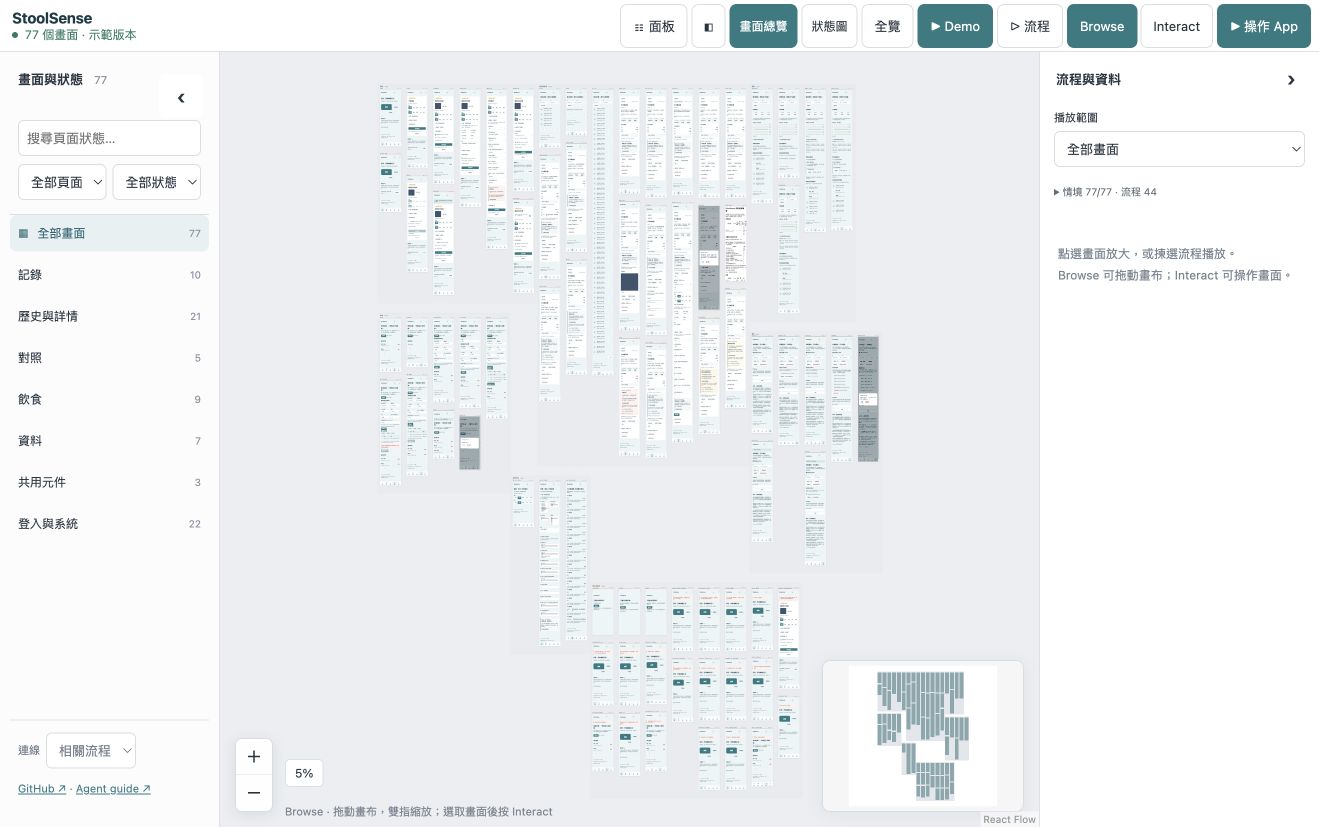
開始之前,你可能想知
Agent Canvas 免費嗎?
係。Local CLI、畫布同內附 Agent skill 都以 MIT 授權免費開源。你選用嘅 coding agent 有自己嘅訂閱或 API 費用。
支援 Claude Code 同 Codex 嗎?
支援。可安裝其中一個或兩個嘅 skill。其他 Agent 可跟公開 Agent 指南使用 CLI。畫布本身唔會呼叫模型。
要先整設計檔嗎?
由 App 原始碼或匯入網站開始。來源整合由 Agent 接駁現有 UI,建立虛構 fixtures,令你一齊檢視真實畫面同狀態。
公開 Demo 會修改我嘅 App 嗎?
唔會。Demo 只喺瀏覽器執行固定嘅虛構示例。檢視你嘅 App 同修改原始碼,喺你自己本機專案與 coding agent 進行。
原生 App 呢?
UIKit、SwiftUI、Android 使用專屬嘅原生 runtime harness 同截圖。原生截圖唔等於喺瀏覽器內操作原生 App。
這個版本能證明甚麼,有甚麼限制
- Web preview 使用真實 HTML/CSS,互動時執行原有 JavaScript。UIKit、SwiftUI、Android 需要原生 runtime harness 及證據;原生截圖不等於可操作的原生 App。
- Coverage 是經審查的來源與 case 對照,不會自動推斷所有業務情境。UI checks 不代表 production backend、醫療準確率或模型 precision 已合格。
- Viewer 預設 English,支援 11 種語言。公開 Demo 係固定嘅虛構前端;本機整合會跟隨原始碼更新。未量度實體 iPad 效能。
私隱與遙測
可選擇經 Cloudflare 傳送少量使用事件到 PostHog。唔會將頁面內容、程式碼、姓名、檔案路徑、email 或 IP 地址轉交 PostHog,可隨時關閉。