Free forever · MIT licensed · Bring your own agent
v0.16.0
Claude Code Codex Free and open source
Built for the build → review → refine loop
See the implemented UI together: full screens, named conditions and connected flows.
Keep one UI implementation. Your coding agent creates the fixtures, adapter and coverage checks.
Try 77 states and 44 flows in the public synthetic demo. No login or API key.
Why I built Agent Canvas
AI made it easy to build another page. It did not make a growing application easy to understand. I wanted to see the implemented screens and their failure states together without clicking through the whole app or maintaining a second design file.
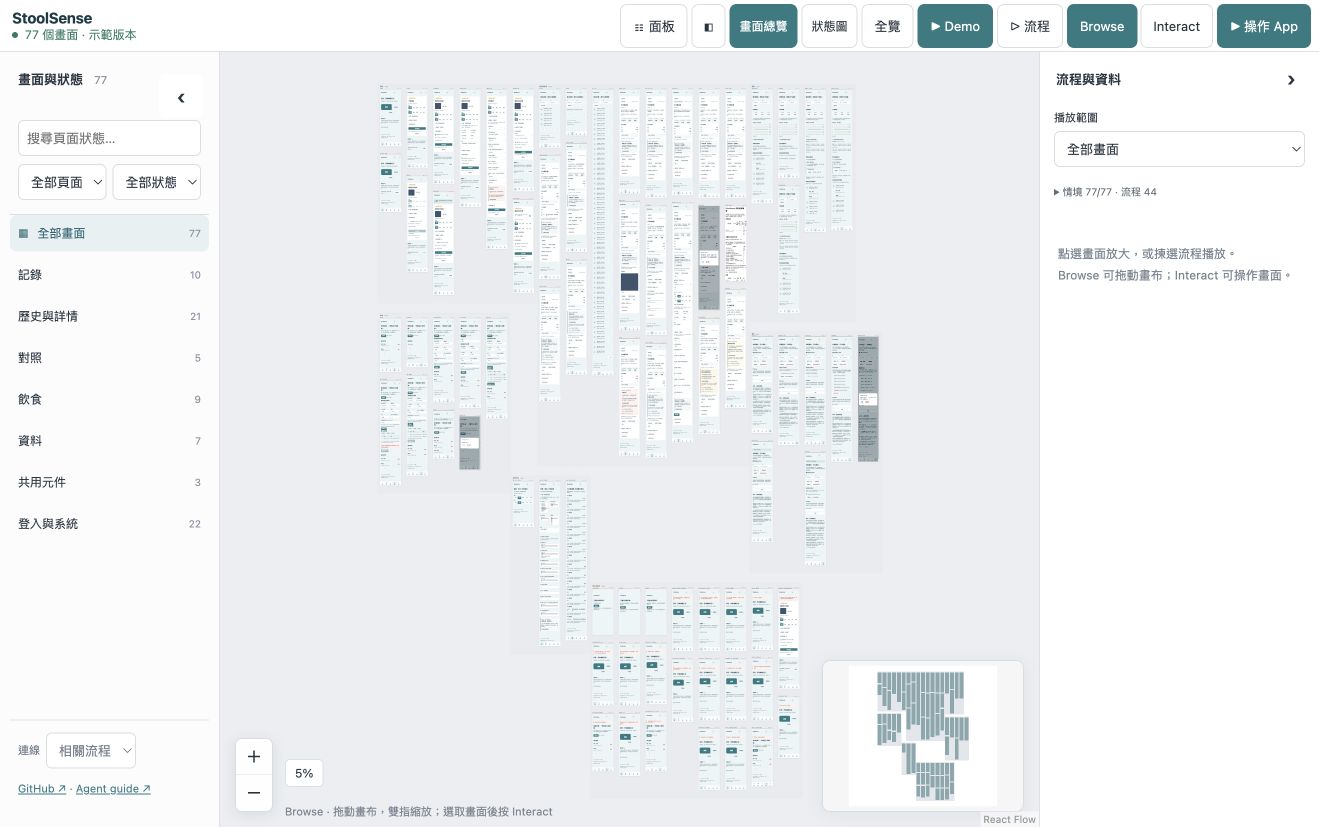
Agent Canvas turns that review into a navigable landscape. A coding agent does the repository-specific integration; the shared tool supplies the canvas, original-code web previews, camera-following navigation and checked playback.
StoolSense is the synthetic public example. It has no production session, real health records or AI requests. Optional anonymous tool usage events are separate from app data.
Actual public demo: 77 authored states, 44 flows, 121 playable entries. The queue includes standalone cases, not 121 end-to-end journeys.
See it, use it, play it
1
Zoom out to understand the app
Browse full screens grouped by page. Search, filter and collapse sidebars. Follow a flow link and the camera moves to the destination.
2
Zoom in to use the real UI
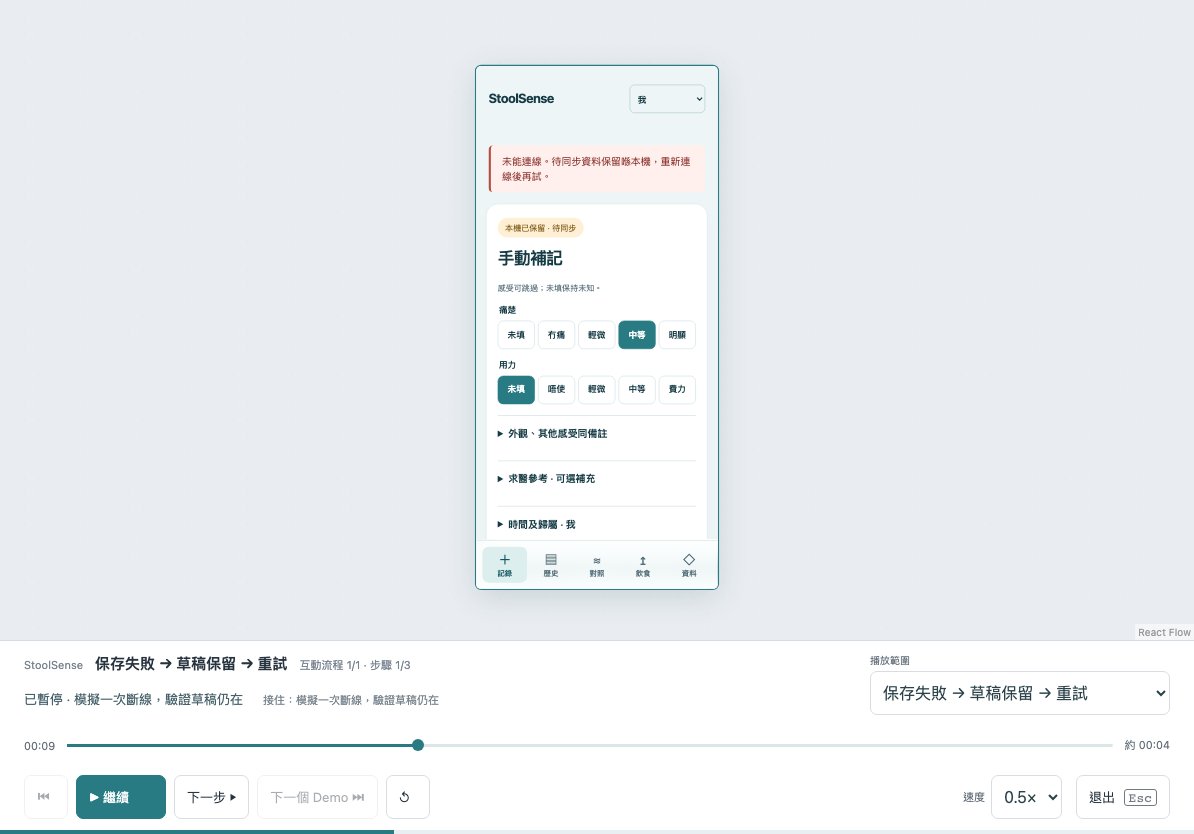
Browse locks controls for safe panning. Select a screen, choose Interact, and use its original application code with disposable synthetic data.
3
Point to what needs changing
Select a screen or a UI element, add your change request, and copy an exact reference for your coding agent. Ask it to update your source; source-backed previews rebuild.
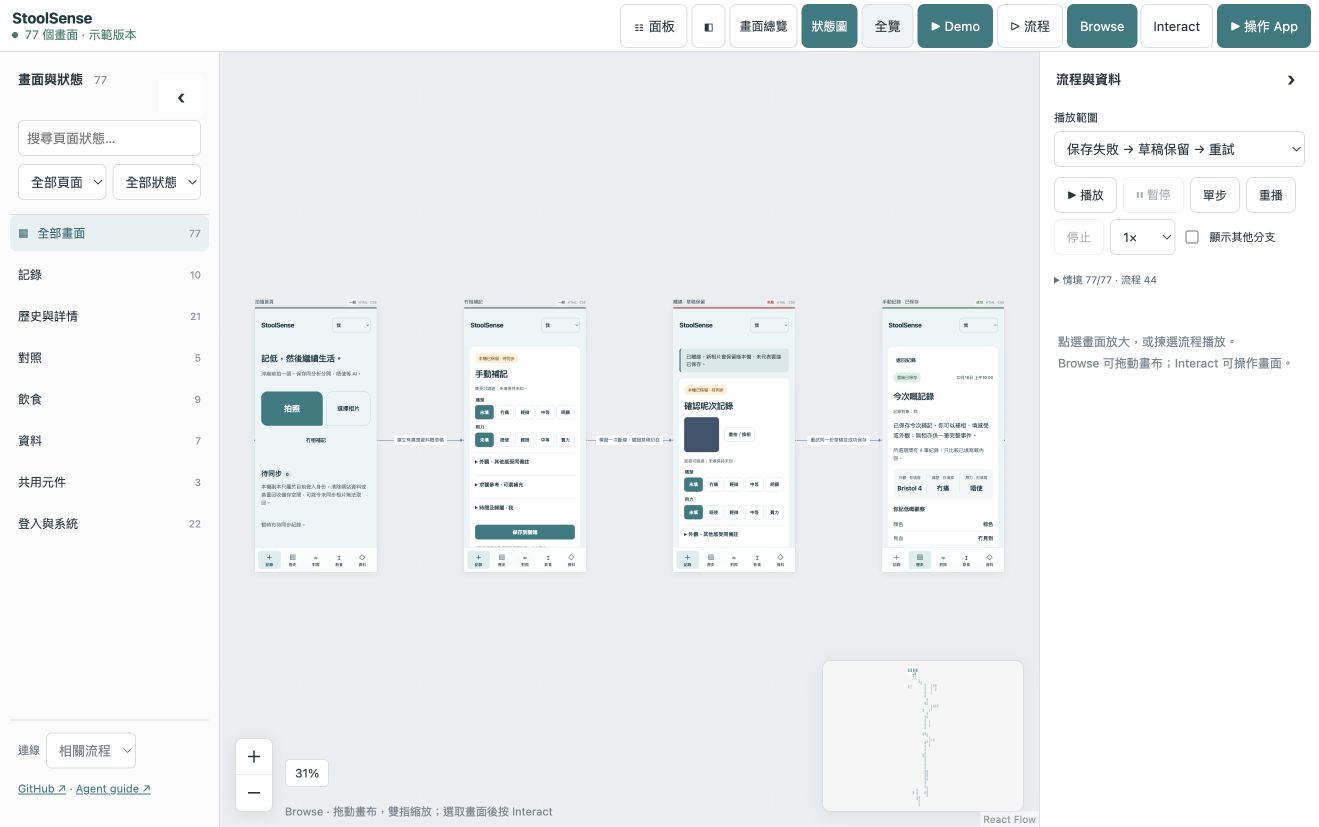
Choose a flow to see its full screens and labeled transitions. Following a link moves the camera to that destination.Actual failure and recovery UI. Playback executes authored actions and checks; a drawn edge alone is not a test.
From an existing repo to an interactive canvas
Give the job to an agent that can read and edit your repository and run commands. No existing Storybook or manually prepared screen list is required. Installation alone does not populate the canvas.
Paste this into your coding agent
Read https://github.com/tombelieber/app-canvas/blob/v0.16.0/AGENT_GUIDE.md and add a completely populated Agent Canvas to this repository. Discover all screens, components, variants, states and navigation from the whole application source. Use original UI code. Create the missing synthetic fixtures and render harnesses. Reconcile an independent source inventory with rendered cases and source-linked runtime checks. Add checked happy, failure and recovery journeys. Group by actual page and feature, connect checked flows, deduplicate repeated captures and resume checkpoints. Run --ui-complete against the original source root; keep the stricter --complete source audit separate and unchanged. Continue until the full landscape is populated and verified; report genuine blockers as incomplete. Keep production sessions, credentials and real user data out of previews.
Install the shared tool
Use Node.js 22+ and the project's package manager and lockfile. Install the pinned GitHub release, then its browser. On npm 12, add --allow-git=root only if Git admission blocks this direct dependency; do not change global policy.
Run plan on the whole original application repository. Inspect every file and UI anchor, follow UI-affecting dependencies and cross-check actual navigation. Enumerate semantic screens/states independently of the catalog; keep unresolved UI visible.
npx agent-canvas plan --source-root . --out ui-review/ui-inventory.json
npx agent-canvas status --inventory ui-review/ui-inventory.json
Render the original UI with fixtures
The agent adds ui-review/canvas.config.mjs, a catalog, synthetic fixtures, a preview entry and checked journeys. The web adapter imports real pages, providers and styles; fixtures replace data and dependencies, not the UI. Reject unknown network requests.
Author the implemented normal, empty, loading, error, denied, dialog and recovery conditions. Check every case and run real controls in continuing flows. Reconcile the inventory, source-linked assertions and route coverage, then pass --ui-complete against the same application root. --complete remains a separate strict all-source audit; its pending work is not a missing-screen count.
Run ui:review, inspect the overview and state graph, then play a flow. Ask the agent to edit the actual app source. Existing previews rebuild; new routes and conditions need inventory, fixture and journey updates. Require the complete gate before handover.
npm run ui:review
What stays in your application
The shared package owns the viewer, CLI and skill. Your repo owns its adapter, fixtures, independent inventory, catalog and interaction checks. Start with the runnable React/Vite reference; use a project-specific adapter for other stacks.
Optional agent skill
Codex and Claude Code can install the bundled skill. Any other coding agent can follow AGENT_GUIDE.md directly. The canvas runtime makes no model calls and requires no model API key. Your chosen agent has its own costs and permissions.
npx agent-canvas install --target both
A few things worth knowing
Is Agent Canvas free?
Yes. The local CLI, canvas and bundled agent skill are free and open source under the MIT license. Your coding agent has its own subscription or API costs.
Does it work with Claude Code and Codex?
Yes. Install the bundled skill for either or both. Other agents can follow the public agent guide and use the CLI. The canvas itself makes no model calls.
Do I start with a design file?
Start with your application source or import a website. In a source-backed project, your agent connects the existing UI and creates synthetic fixtures so you can review real screens and states together.
Does the public demo change my app?
No. It runs a frozen synthetic example in your browser. Reviewing your app and changing its source happen in your own local project with your coding agent.
What about native apps?
UIKit, SwiftUI and Android use project-specific original-runtime harnesses and captures. A native capture is not an interactive native app inside the browser.
What this release does and does not prove
Web previews use actual HTML/CSS and original JavaScript for interaction. Native UIKit, SwiftUI and Android need original-runtime harnesses and evidence; a capture is not a live native app.
Coverage is a reviewed source-to-case contract, not automatic discovery of every possible business condition. UI checks do not qualify production backends, clinical accuracy or model precision.
Viewer: English by default, with 11 languages. The public demo is a frozen synthetic frontend; live integrations watch your source. Physical iPad performance has not been measured.
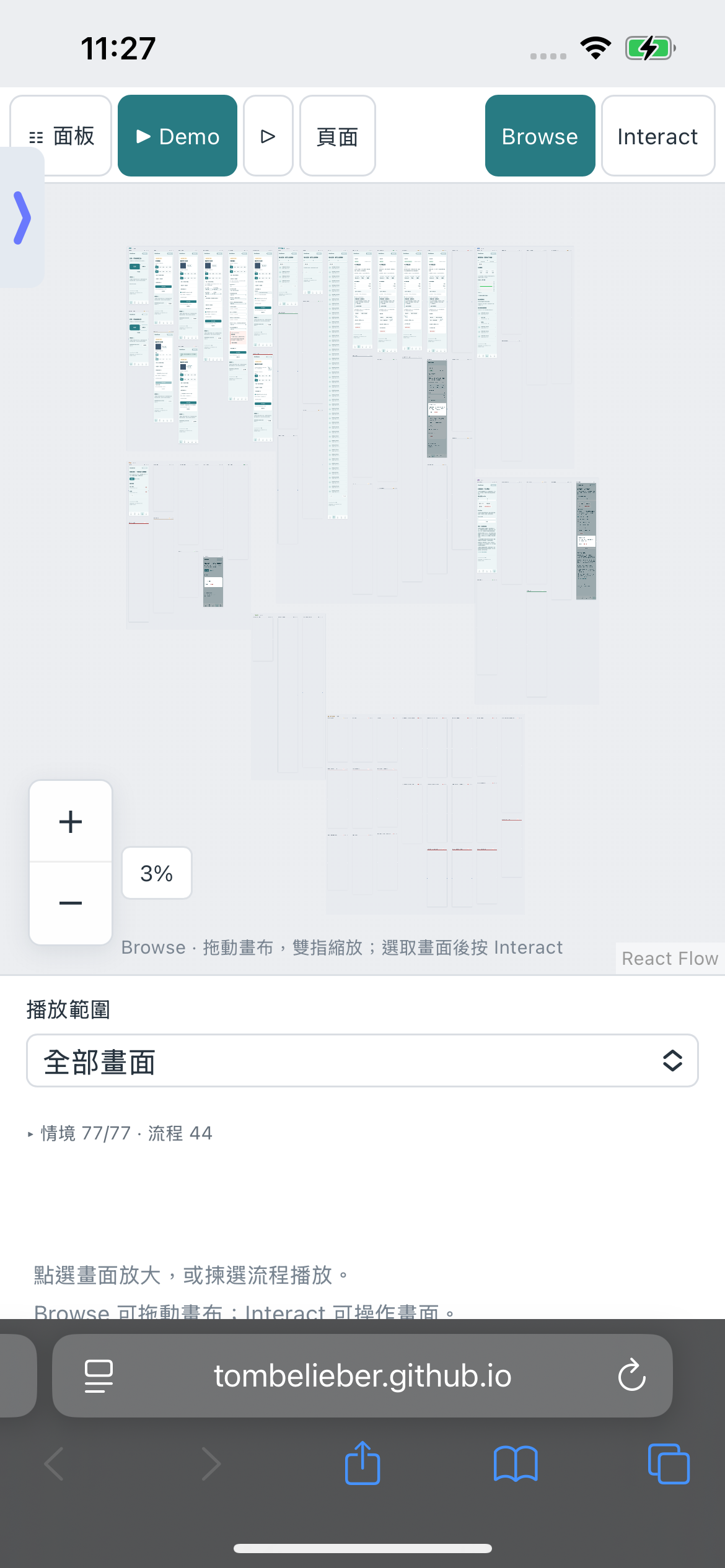
Real iPhone Safari capture. See the engineering article for the crash-to-working investigation and measurement limits.
Safari engineering story
Real iPhone Safari capture. See the engineering article for the crash-to-working investigation and measurement limits.
Want a hosted workspace? Join the interest list. Cloud is not available yet; the MIT tool and public demo are usable now.
Leave the waitlist
Privacy and telemetry
Optional minimal usage events via Cloudflare to PostHog. No page contents, code, names, file paths, email or IP address are forwarded to PostHog. You can turn this off.