Free and open source
Build with agents.
Shape it live.
See your real app on one canvas. Try a screen, copy an exact reference, and ask Claude Code or Codex to change it.
Free forever · MIT licensed · Bring your own agent
Claude Code
Codex
Free and open source
The app is the canvas.
These are real screens running original UI code. Try the public example before installing anything.
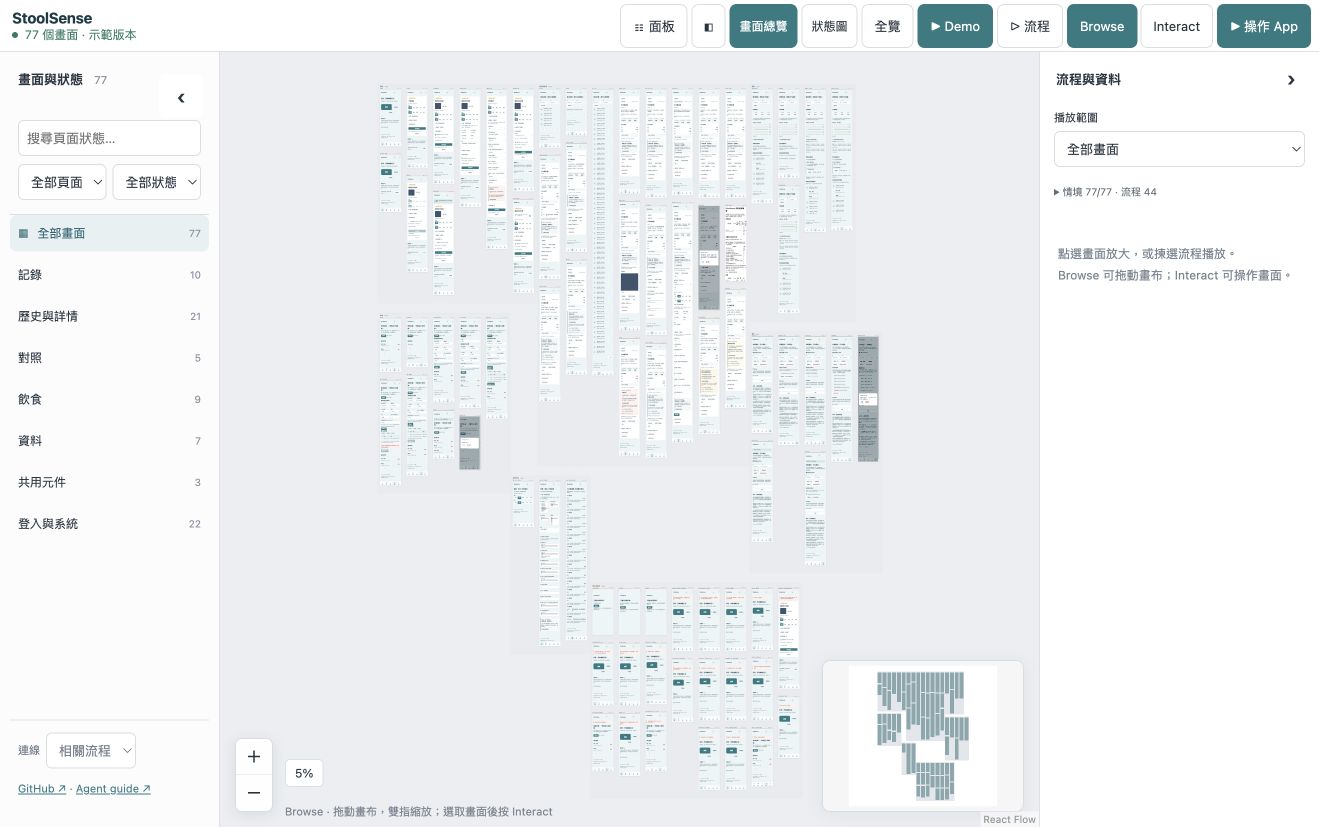
Synthetic demo · no app backend · no login · no API key
Built for the build → review → refine loop
- See the implemented UI together: full screens, named conditions and connected flows.
- Keep one UI implementation. Your coding agent creates the fixtures, adapter and coverage checks.
- Try 77 states and 44 flows in the public synthetic demo. No login or API key.
See it, use it, play it
Zoom out to understand the app
Browse full screens grouped by page. Search, filter and collapse sidebars. Follow a flow link and the camera moves to the destination.
Zoom in to use the real UI
Browse locks controls for safe panning. Select a screen, choose Interact, and use its original application code with disposable synthetic data.
Point to what needs changing
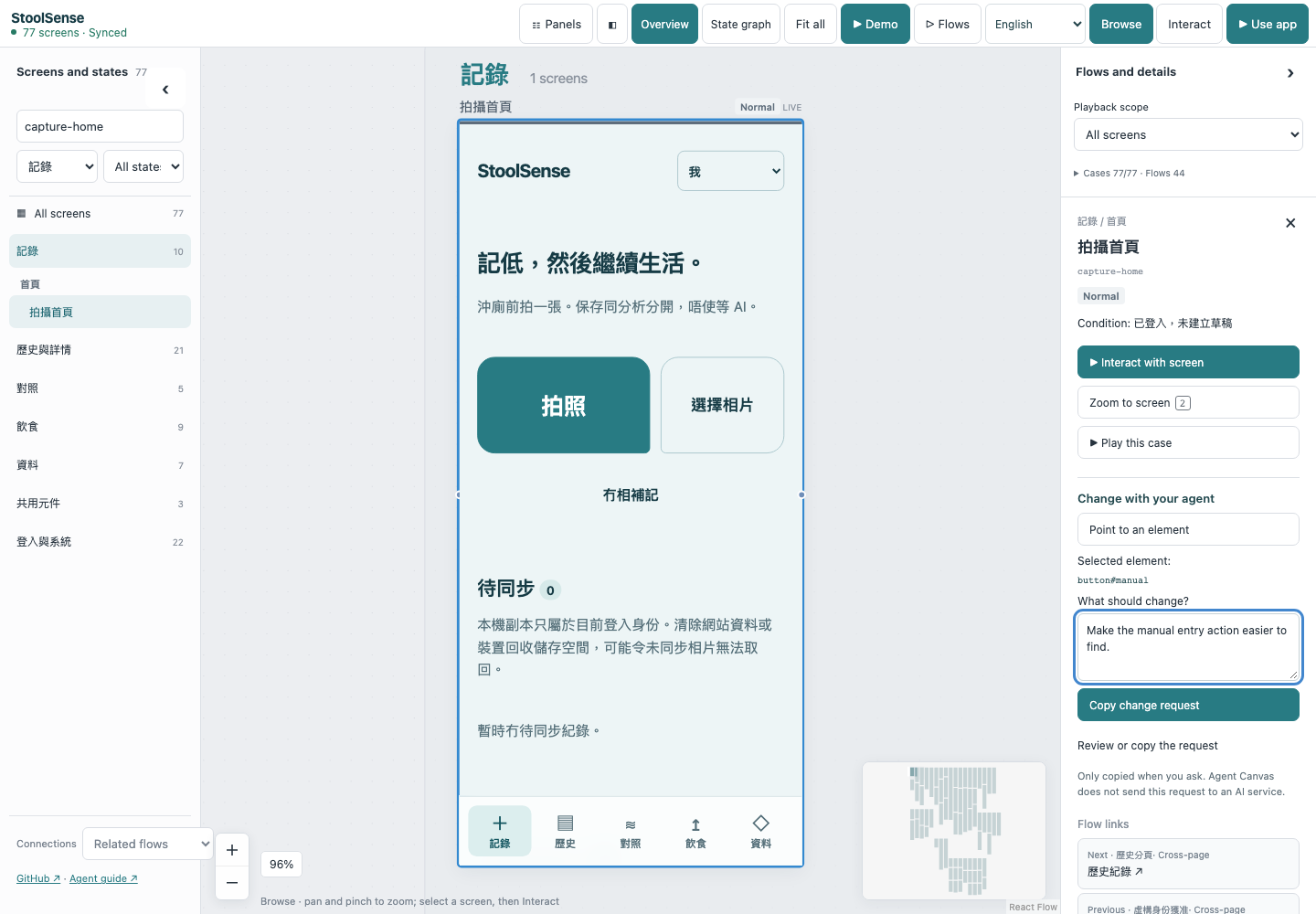
Select a screen or a UI element, add your change request, and copy an exact reference for your coding agent. Ask it to update your source; source-backed previews rebuild.
Point to what needs changing
Select a screen or a UI element, add your change request, and copy an exact reference for your coding agent. Ask it to update your source; source-backed previews rebuild.
Make it part of your build loop.
Try the included app locally, then let your agent connect your own repository. Requires Node.js 22+.
Get started freenpm install -g github:tombelieber/app-canvas#v0.16.0
agent-canvas browsers
agent-canvas demoA few things worth knowing
Is Agent Canvas free?
Yes. The local CLI, canvas and bundled agent skill are free and open source under the MIT license. Your coding agent has its own subscription or API costs.
Does it work with Claude Code and Codex?
Yes. Install the bundled skill for either or both. Other agents can follow the public agent guide and use the CLI. The canvas itself makes no model calls.
Do I start with a design file?
Start with your application source or import a website. In a source-backed project, your agent connects the existing UI and creates synthetic fixtures so you can review real screens and states together.
Does the public demo change my app?
No. It runs a frozen synthetic example in your browser. Reviewing your app and changing its source happen in your own local project with your coding agent.
What about native apps?
UIKit, SwiftUI and Android use project-specific original-runtime harnesses and captures. A native capture is not an interactive native app inside the browser.
What this release does and does not prove
- Web previews use actual HTML/CSS and original JavaScript for interaction. Native UIKit, SwiftUI and Android need original-runtime harnesses and evidence; a capture is not a live native app.
- Coverage is a reviewed source-to-case contract, not automatic discovery of every possible business condition. UI checks do not qualify production backends, clinical accuracy or model precision.
- Viewer: English by default, with 11 languages. The public demo is a frozen synthetic frontend; live integrations watch your source. Physical iPad performance has not been measured.
Privacy and telemetry
Optional minimal usage events via Cloudflare to PostHog. No page contents, code, names, file paths, email or IP address are forwarded to PostHog. You can turn this off.